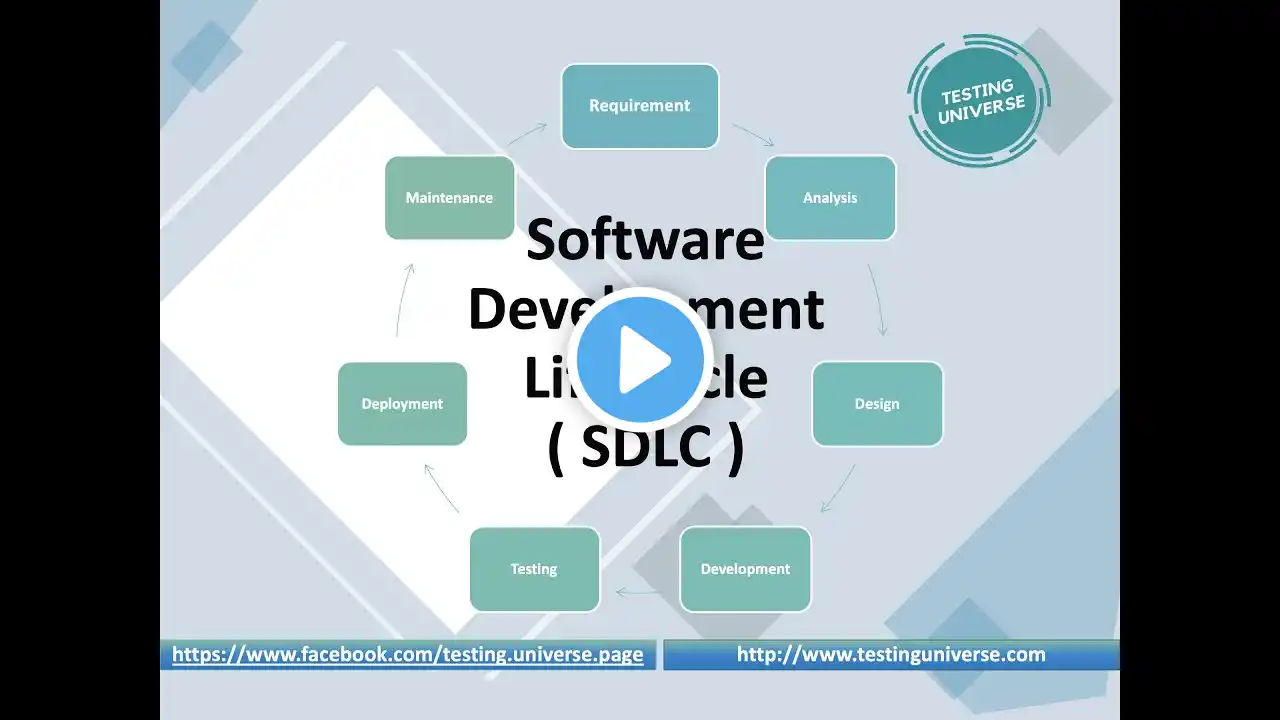
An Entire Software Development Life Cycle - Full Guide (Tutorial)
Start a free plan of CircleCI --- http://go.thoughtleaders.io/141992019... Try my coffee at First Supply Coffee --- https://firstsupplycoffee.com One tutorial to cover it all. I take you from nothing, to coding a terminal app, to writing tests, to creating a GitHub repo, to hooking it up, to building a continuous integration workflow, and more. While the analysis and design of a SDLC is important, we won't be going over that here as it would take more work than it's worth for such a simple app. 0:00 Intro 3:14 Install IDE (Eclipse) 3:53 Explanation of the app we're building - Caesars Cipher 4:36 Hop into Eclipse 5:15 Create Gradle project 6:10 Create CaesarsCipher.java class 6:45 How to start actually writing code 7:37 Start coding our cipher method 8:02 Talk about what the cipher method code does 10:17 Start coding our offsetBy method along with what it does 11:37 Create offsetChar method 11:40 Overview of the offsetBy method code 13:24 Start coding our offsetChar method 13:34 Talk about what the offsetChar method code does 14:53 After completing CaesarsCipher, we create the Main class 15:35 Start coding our main method along with what it does (ignore package name... it should be caesars.cipher) 18:00 Run the code 18:13 Write code to actually print out the result 18:25 Run the code again... but mistake 19:03 Fix our code & talk about what it does 19:33 Run our code again again 19:37 Clean up our code 20:15 Walk through all of the code in the order our IDE runs it 25:39 Create CaesarCipherTest.java JUnit test 26:14 Write JUnit tests to test our code 26:38 Talk about what the JUnit test code does 28:10 Run our JUnit tests 28:25 Write a failing test & talk about why tests fail 29:24 Comment out failing test 29:31 Test our tests & ensure our code works 29:57 Create our GitHub repository 30:35 Turn our project into a local Git repository 31:18 Open Git perspective 31:50 Stage our code changes & write commit message 32:06 Hook up your GitHub user to Eclipse 33:33 Commit & Push to our master branch 33:36 Connect our local Git repository to our remote GitHub repository 34:28 Start creating our continuous integration workflow with CircleCI 34:40 Create a CircleCI account here: http://go.thoughtleaders.io/141992019... 34:46 Navigate to Add Projects 34:58 Set Up Project for our Caesars Cipher project repo that CircleCI sees on GitHub 35:12 Add dependencies & test in build.gradle for our JUnit 5 (Jupiter) tests dependencies { testImplementation 'org.junit.jupiter:junit-jupiter-api:5.3.1' testRuntimeOnly 'org.junit.jupiter:junit-jupiter-engine:5.3.1' } test { useJUnitPlatform() } 36:26 Stage, Commit, & Push our build.gradle changes 36:46 On CircleCI, click Start Building then Add Config (CircleCI will build a branch for us) 37:15 Check our pipeline and confirm it successfully builds 37:22 A deeper look into our CircleCI pipeline 38:43 A deeper look into what CircleCI did on GitHub 39:11 Compare & pull request our changes from the CircleCI branch to our master branch 39:59 Why we need multiple branches 40:59 Delete our circleci-project-setup branch 41:15 Implement a failing test 41:26 Pull code from our GitHub repo 41:51 Create a new branch in Eclipse 42:12 Commit & Push our failing test to our new branch 42:25 CircleCI is building our code & running our tests 42:43 Our test failed 43:39 We can no longer Merge Pull Request on GitHub 43:55 Outro This video is sponsored by CircleCI. CircleCI Docs Debugging with SSH --- http://bit.ly/2UPlbsP Workspaces --- http://bit.ly/3bAJSiE Scaling Concurrency --- http://bit.ly/38nKNAY Custom Caching Strategies --- http://bit.ly/2SnO9OA Resource Classes --- http://bit.ly/2Hlv2hZ Docker Layer Caching --- http://bit.ly/31SZhpZ Test Splitting --- http://bit.ly/2SIF4Pp ---------------------------- FIRST SUPPLY COFFEE ---------------------------- First Supply Coffee --- https://firstsupplycoffee.com/ First Supply Coffee Instagram --- / firstsupplycoffee ---------------------------- SOCIAL MEDIA ---------------------------- Instagram --- / forrestpknight Twitter --- / forrestpknight GitHub --- https://github.com/ForrestKnight Twitch --- / forrestknight Medium --- / forrestknight ---------------------------- DESK SETUP ---------------------------- Monitor --- http://amzn.to/2E9sioB Monitor Arm --- http://amzn.to/2E8UckG Standing Desk --- http://amzn.to/2C3T3oG Keyboard --- http://amzn.to/2EaSxHa Mouse --- http://amzn.to/2C3Bbud Mousepad --- http://amzn.to/2GWASVB Microphone --- http://amzn.to/2C4Upzj