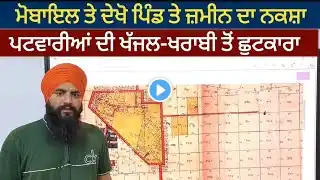
𝗛𝗼𝘄 𝘁𝗼 𝗔𝗰𝗰𝗲𝘀𝘀 𝗟𝗮𝗻𝗱 𝗥𝗲𝗰𝗼𝗿𝗱𝘀 𝗜𝗻𝗳𝗼𝗿𝗺𝗮𝘁𝗶𝗼𝗻 𝗦𝘆𝘀𝘁𝗲𝗺 || 𝗔𝗽𝗻𝗲 𝗟𝗮𝗻𝗱 𝗥𝗲𝗰𝗼𝗿𝗱𝘀 𝗞𝗼 𝗞𝗮𝗶𝘀𝗲 𝗗𝗲𝗸𝗵, 𝗖𝗵𝗲𝗰𝗸 𝗶𝗻 𝟭 𝗠𝗶𝗻𝘂𝘁𝗲
How to Access Land Records Information System || Apne Land Records Ko Dekh 1 Minute mein Click here for official website 👇👇👇👇 http://landrecords.jk.gov.in/ HOW TO ACCESS LAND RECORDS INFORMATION SYSTEM 1. Open URL- http://landrecords.jk.gov.in/ in any Internet browser. Login into your account as Public User. 2. Go to Land Records section. 3. Select District, Tehsil and Village and click on "Search button. 4. Select required document. 5. Click on Khasra search button and select Khasra no. 6. To view other document of same Khasra no. click on Linked Document button. 7. Select document type and year of document. #Apni_Zameen_Apni_Nigrani #Land_Records_Information_System #A_Unique_initiative_of_J_and_K_Government #Apne_Land_Records_Kaise_Dekh #Revenue_records_kaise_check_kre #zameen_ki_nakal_kaise_dekhe