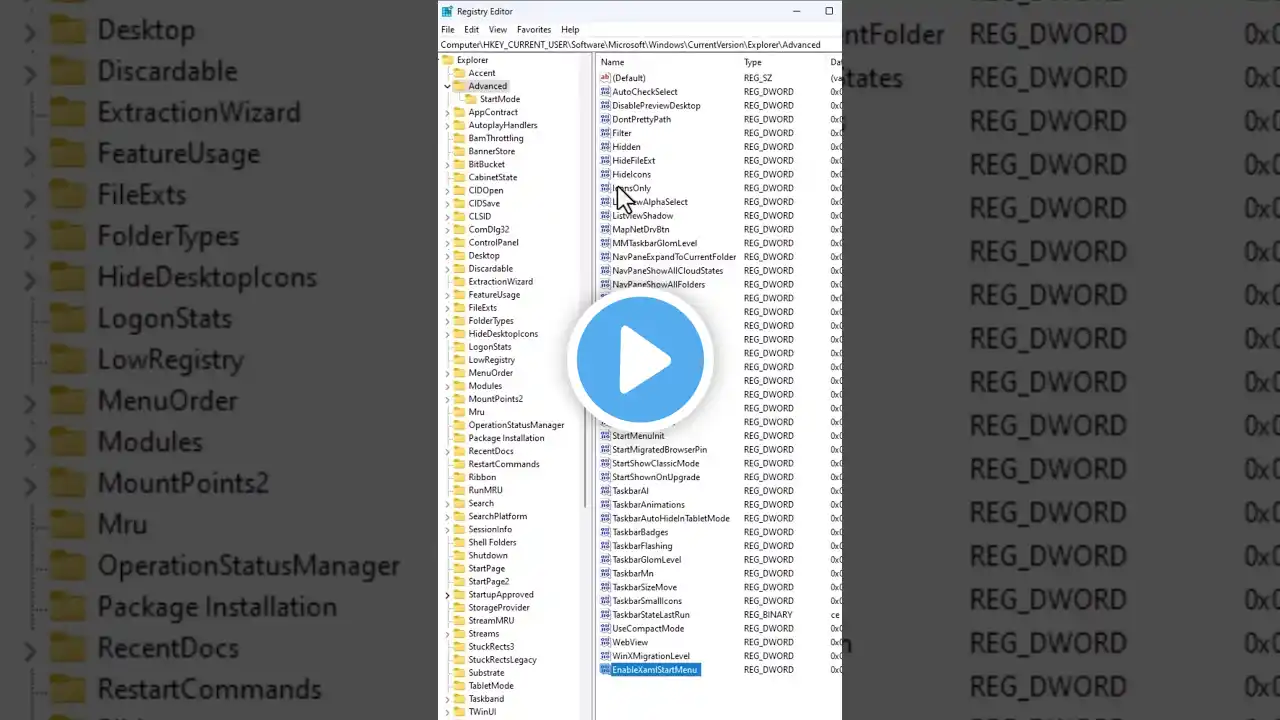
#Fixingwindows11startmenu How to fix the Start menu customizations
🖥️🔧 Fixing Start Menu Issues After Registry Customization | Windows Tutorial 🔧🖥️ 📌 Fixing Start Menu Issues: 1️⃣ Press Windows + R to open the Run menu. 2️⃣ Type "regedit" and press "OK" to launch the Registry Editor. 3️⃣ Enter the following address in the address bar ( Computer\HKEY_CURRENT_USER\Software\Microsoft\Windows\CurrentVersion\Explorer\Advanced ). 4️⃣ Hit "Enter". 5️⃣ Right-click in the empty space. 6️⃣ Select "New", then "D WORD 32-bit", and name it "EnableXamlStartMenu." 7️⃣ Double-click the new value and ensure the Value data field is set to 0 (the default setting). 8️⃣ Restart your PC to test if this solution worked. 🗑️ Removing an Outdated Hack: While in the registry, let's clean up! In the same location, right-click the "StartShowClassicMode" value, and click "Delete". If you can't find this value, you're good. After deletion, restart Windows. 🔗 For additional insights, visit our complete article at: https://www.androidauthority.com/wind... #startmenucustomizations #windows11tutorial
