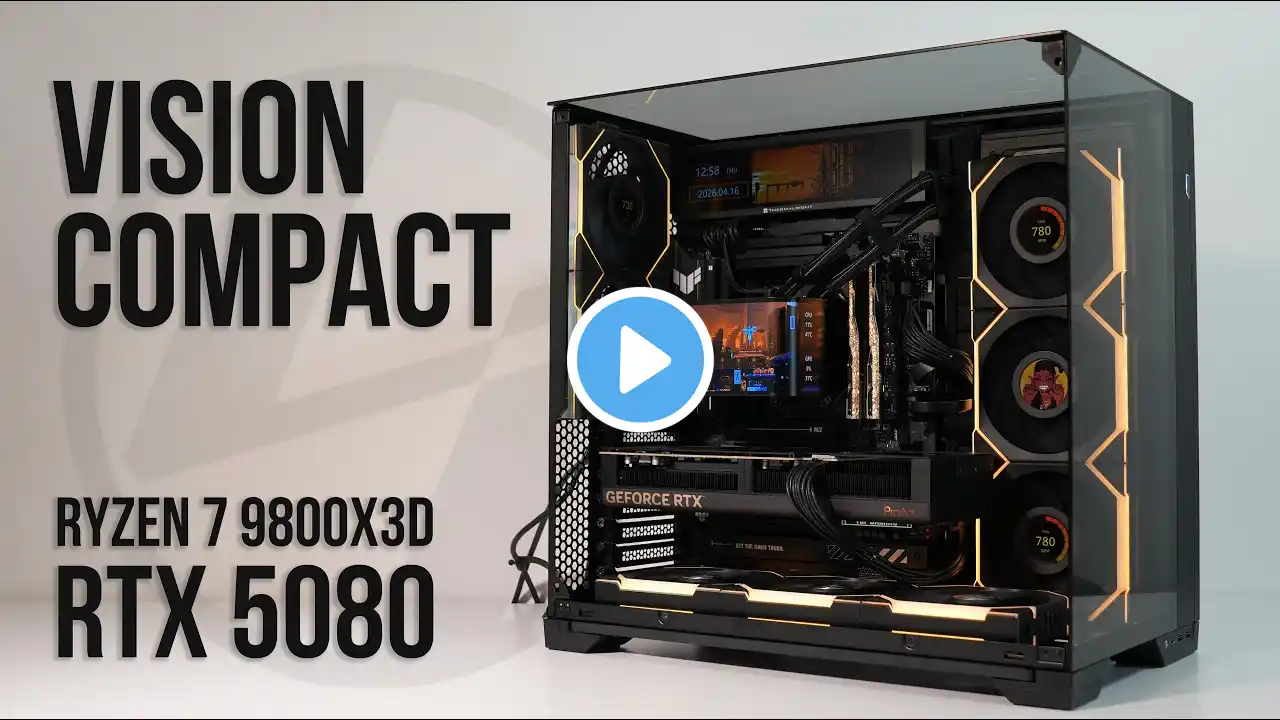
O11 Vision Compact Build Complete Step-by-Step Guide on How To Build a Gaming PC 9800x3D + RTX 5080
Here's how to build a Gaming PC using the Lian Li 011 Vision Compact Mesh Mode, TL Wireless LCD, AMD Ryzen AM5 Platform (9800x3D), and RTX 5080 🔥 ============================= 🛒 Products from Video - Using My Affiliate Links Helps Support This Channel ! TY 🔥🐺 ============================= Lian Li O11 Vision Compact 🛒 Amazon : https://geni.us/vHoCa1 🛒 Newegg : https://geni.us/6bbP 🛒 B&H - https://geni.us/RMncOU CPU - AMD Ryzen 7 9800x3D 🛒 Amazon : https://geni.us/6mBQ9Sv 🛒 Newegg : https://geni.us/vXsUnA5 🛒 Best Buy : https://geni.us/hq7kBVD 🛒 B&H : https://geni.us/cMtoAVB MOBO - MSI MPG X870E Carbon WIFI 🛒 Amazon : https://geni.us/6KohTt 🛒 Newegg : https://geni.us/XLwk 🛒 Best Buy : https://geni.us/vQuxDQx 🛒 B&H : https://geni.us/EnFGlK PSU - Lian Li Edge Gold 1200G 🛒 Amazon : https://geni.us/vDYFw 🛒 Newegg : https://geni.us/rIrHb6A AIO - Lian Li Hydroshift LCD 🛒 Amazon : https://geni.us/LpXTdP GPU - AORUS 5080 Master 🛒 B&H - https://geni.us/krbs0l 🛒 Amazon - https://geni.us/0fUZl 🛒 Best Buy - https://geni.us/ERi0b RAM - G.SKILL Trident Z5 Neo 6000 (AMD EXPO) 64GB (32 x 2) Amazon : https://geni.us/BIdKpB 32GB (16 x 2) Amazon : https://geni.us/13T7b SSD - Samsung 990 Pro 4TB - https://geni.us/6gcJhNN (Amazon) 2TB - https://geni.us/8BddyA (Amazon) FANS - Lian Li TL Wireless LCD (Only 1 Wireless Controller is needed) 🛒 3-Pack Reverse (Controller Included) : https://geni.us/27OiAST (Amazon) 🛒 3-Pack Standard (Controller Included) : https://geni.us/NDbAzmS (Amazon) 🛒 1-Pack Reverse : https://geni.us/5bm25 (Amazon) 🛒 1-Pack Standard : https://geni.us/vaB5grH (Amazon) Lian Li TL Wireless (non-LCD) 🛒 3-Pack Reverse (Controller Included) : https://geni.us/319Aih (Amazon) 🛒 3-Pack Standard (Controller Included) : https://geni.us/ns9sf (Amazon) 🛒 1-Pack Reverse : https://geni.us/HQdpkvb (Amazon) 🛒 1-Pack Standard : https://geni.us/Y4ANx (Amazon) Lian Li Wireless Strimer (RGB) ⚡Motherboard 24-Pin Wireless Strimer : https://geni.us/x4E7 (Amazon) ⚡GPU 12VHPWR Wireless Strimer (8-Light Guide) : https://geni.us/fNfXBIj (Amazon) ⚡GPU 12VHPWR Wireless Strimer (12-Light Guide WIDE) : https://geni.us/hAvJP5 (Amazon) ⚡GPU 2 x 8-pin PCIe Wireless Strimer : https://geni.us/IMBcc (Amazon) ⚡CPU 2 x 8-pin Wireless Strimer : https://geni.us/Gmf0F (Amazon) NZXT Internal USB Hub (Only if you use a different PSU and/or using more than 9 LCD Fans) Amazon : https://geni.us/HzdxTI0 AM5 CPU Secure Frame (optional) - https://geni.us/pouusY (Amazon) Arctic MX-6 Thermal Paste - https://geni.us/V7rtC5l (Amazon) TOOLS - Recommend any precision screwdriver kit, couldn't find the one that I got but this is close : Amazon : https://geni.us/xdNhYY Time Stamps (under construction) Intro - 0:00 Parts List - 0:38 Lian Li Wireless ECOSYSTEM - 2:48 Vision Compact - 5:44 Motherboard Prep - 6:35 Installing 9800x3D - 7:08 AM5 CPU Frame (optional) - 9:02 RAM Install - 10:36 SSD M.2 Lane Sharing - 12:34 SSD Install - 14:12 Case Prep - 18:41 Motherboard Install - 22:00 PC Panel Cables Prep - 23:19 PC Panel Connectors Install - 25:06 Bottom Fan Bracket - 27:01 TL LCD Wireless Fans Prep/How To - 27:28 Bottom Reverse Blade - 29:08 Side Fans Reverse Blade - 30:34 Rear Standard Infinity Fan - 34:04 AIO HydroShift LCD Prep - 35:56 AIO Standard Fan Install - 37:09 AIO Case Top Bracket Setup - 39:09 AIO Case Install - 40:41 AIO Potential Clearance - 41:25 AIO Installed on Case - 43:05 AIO Pump CPU Install - 43:38 AIO USB & PUMP Header - 47:09 PSU Prep / Install - 49:06 PSU Cables Explained - 51:08 PSU 24-Pin & CPU Cable Install on Motherboard - 53:28 PSU Connecting 24-Pin & CPU to PSU - 56:18 PSU TL Wireless Fan Cable Connection - 58:44 PSU Connecting more than 9 LCD Fans - 01:00:23 L-Connect Wireless Controller - 01:00:53 HydroShift LCD USB - 01:01:16 Internal USB Hubs MOBO - 01:01:38 Connecting SATA Cables - 01:05:20 GPU Prep 12VHPWR - 01:06:37 GPU Wireless Strimer - 01:08:19 GPU Installation - 01:11:38 GPU Power Connection - 01:15:44 Adjusting GPU Anti-Sag - 01:18:10 Case Final Assembly - 01:19:30 Powering ON & Final PEEL - 01:21:15 Windows 11 Installation - 01:22:28 How to RGB & FAN - 01:24:47 Conclusion - 01:35:28 B-ROLL - 01:36:48 TikTok : / firewolftech Instagram : / firewolftech Fire Wolf Tech https://firewolftech.com DISCLAIMER : This video contains affiliate links from which I may receive a small commission from sales of certain products. This helps support my channel so thank you for using my Affiliate Links.